
This guide is for Converge associates who have an ad hoc only schedule. If you have an open telehealth schedule (including employees), please follow this guide Rebook (for partners & employee consultants)
When you are ready to book the customer for the next appointment, this guide will assist you with rebooking into your ad hoc schedule.
1. Access Phoenix
Access the Converge Phoenix app via login.convergeint.com and make sure you are on the Quick View page in the Phoenix app
2. Find the customer listed
On the Quick View page of the Phoenix app, find the customer.
-
If you’ve recently completed an appointment, the customer will be listed in the “Appointments recently completed” section
-
If you haven’t completed the most recent appointment, the customer’s current appointment may be listed in the “Appointments not started” or “Appointments in progress” section of the portal.
-
If you can’t find the customer, scroll to the “Appointments recently completed section and use the Search function to find them.
3. Select rebook
|
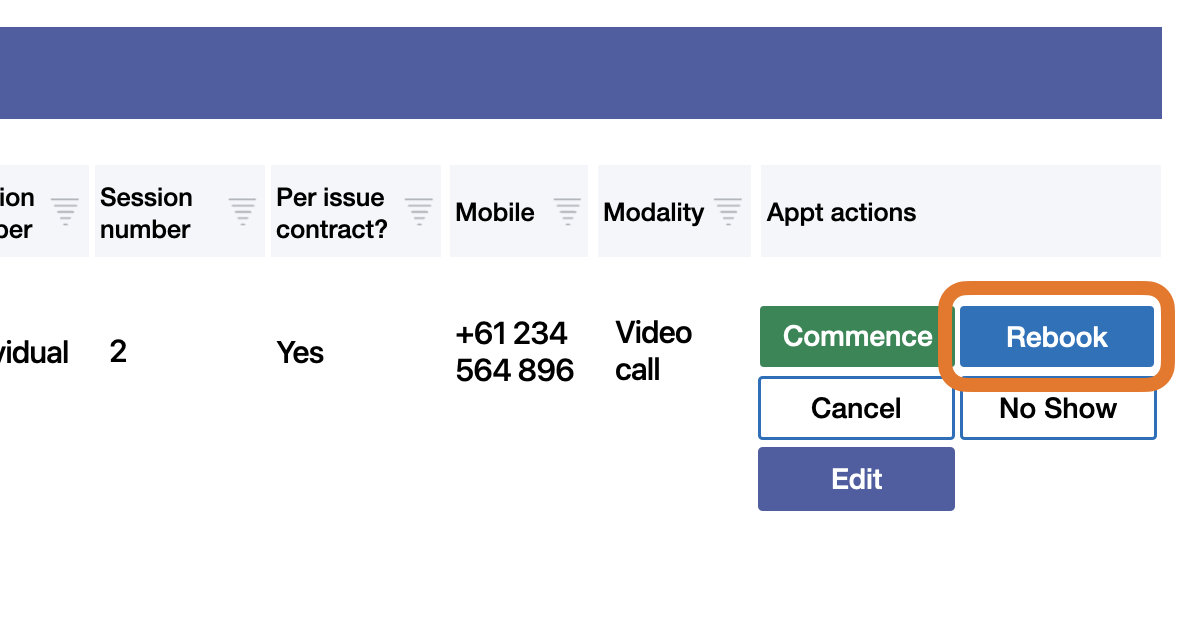
Once you find the customers' last or active appointment listed, click the Rebook button on the right side of the listing. |
|
|
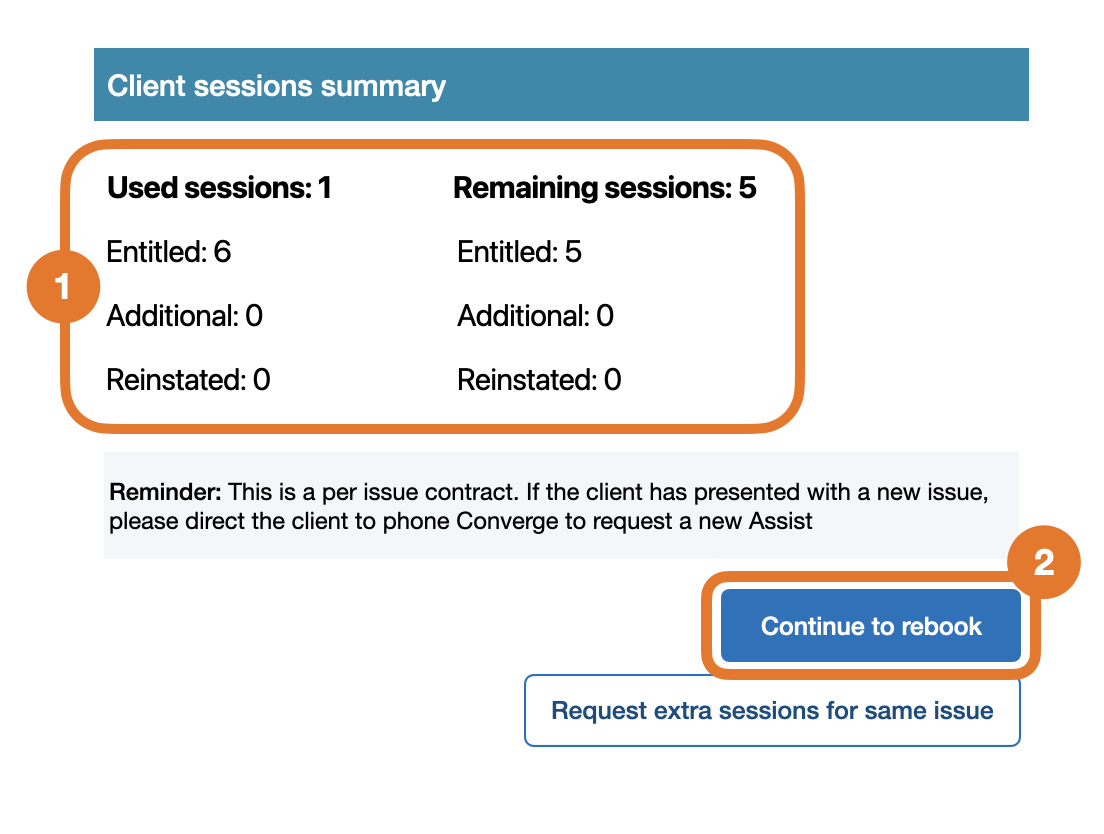
Then, on the pop-up window:
|
|
|
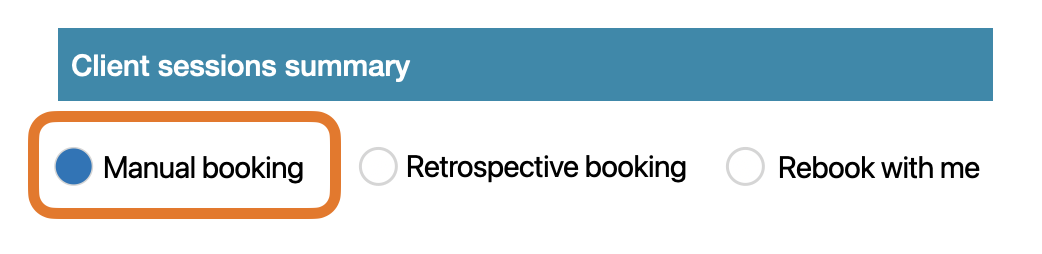
On the next screen, select Manual booking option Do not select any other option unless instructed to. |
|
4. Select work schedule
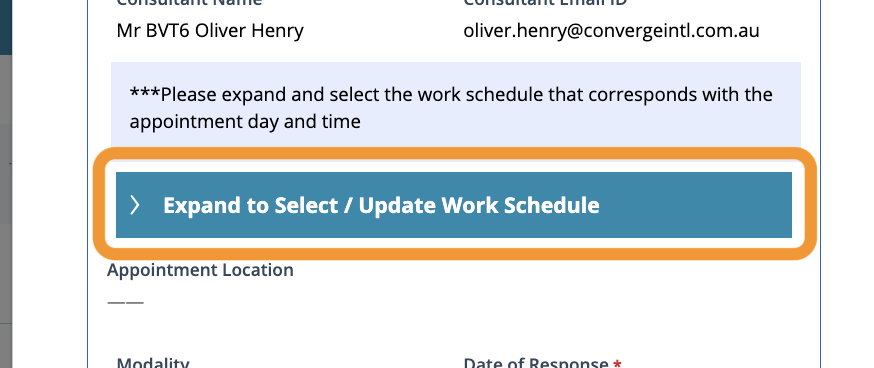
Next, you will be selecting the work schedule to apply the appointment to. This is important as the work schedule is linked to your agreed remuneration rate and clinical address (for in person appointments). Not selecting the correct schedule can result in payment disputes.
|
|
Note: you may have multiple schedules with different addresses - make sure the correct one is selected with the correct address (for in person appointments) |

|
5. Confirm appointment details
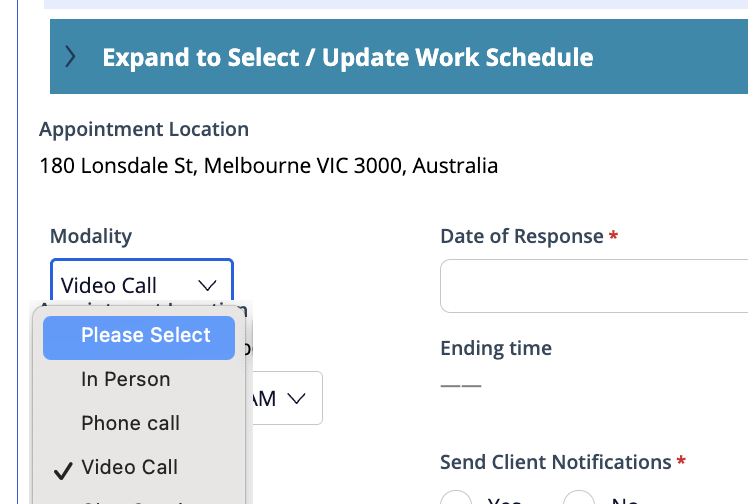
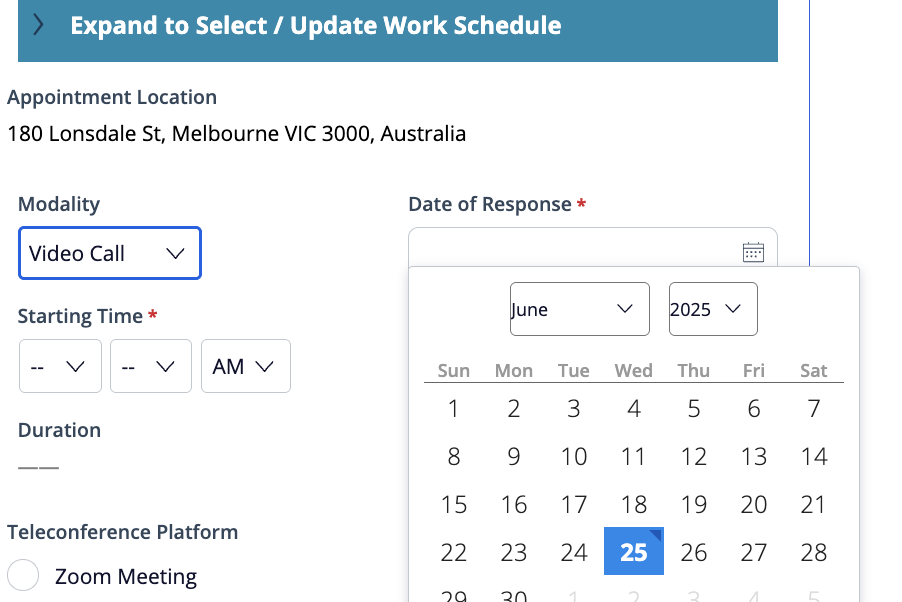
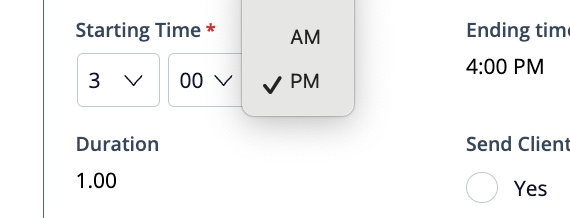
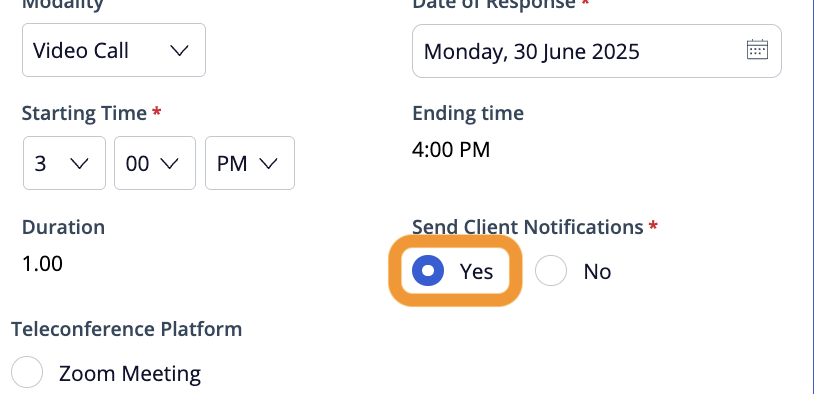
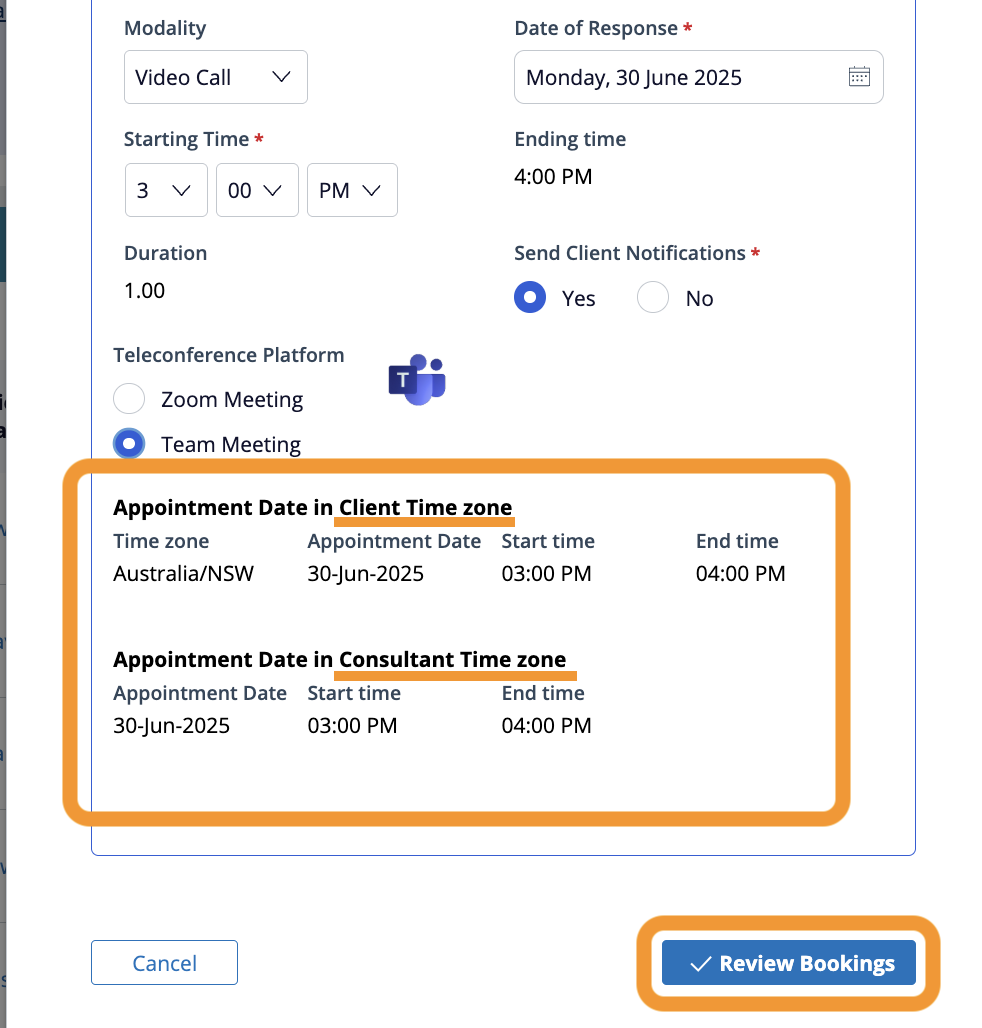
Next, you will confirm the details of the appointment including time, date and modality.
|
|
|
|
Note: The time provided is always in the Customer time zone |
|
|
|
|
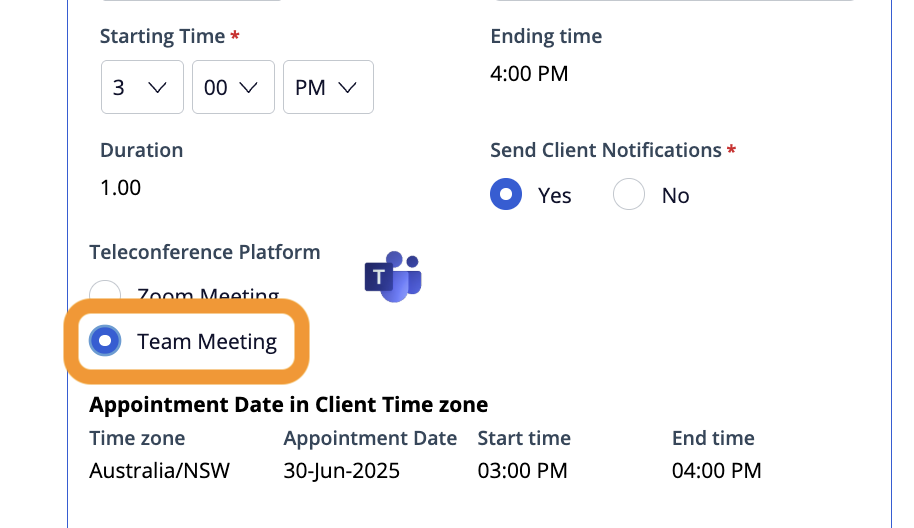
If you selected Video Call as the modality of the appointment, select Team meeting for the Teleconference platform option. Do not select Zoom option. Converge only supports Microsoft Teams meetings for video call appointments. Learn more here: Video call modality |
|
|
|
|
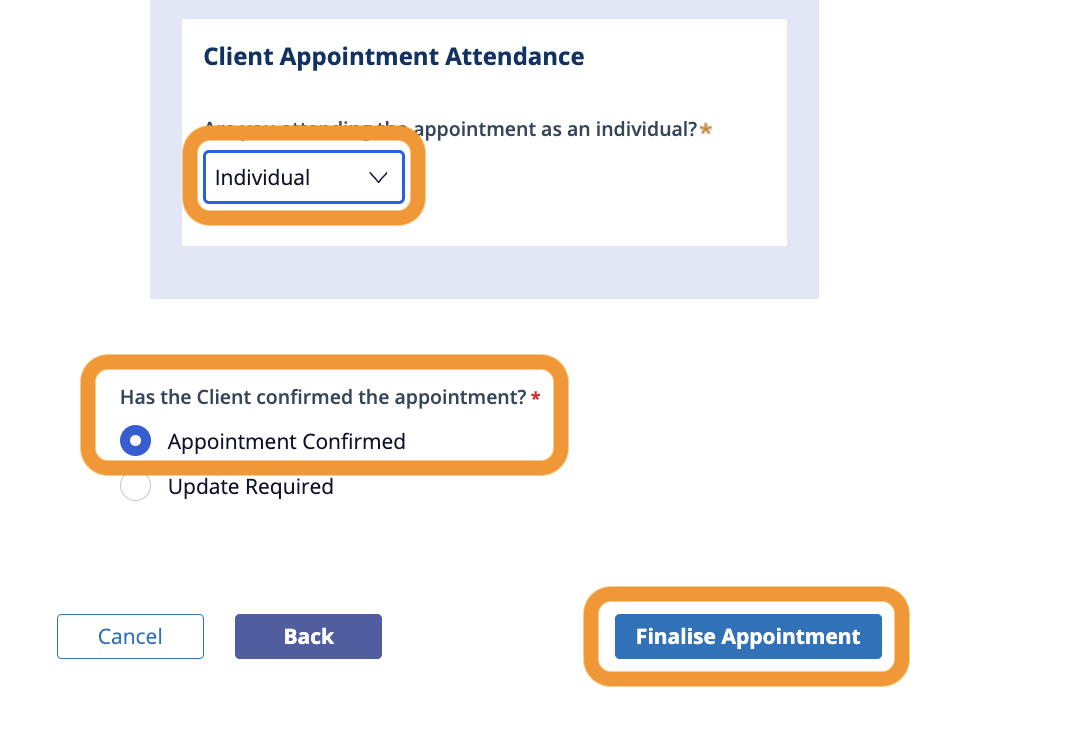
On the next screen, you’ll see the summary of the booking information. Double check all the information is correct
|
|