
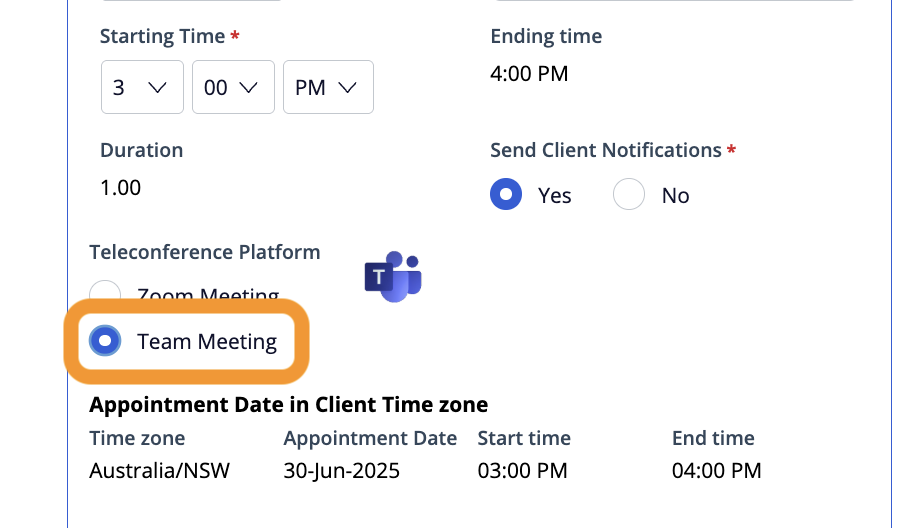
Converge supports telehealth appointments as In Person (if you have this modality in your profile), Phone call and Video Call. For Video Call modality, we support Microsoft Teams as the teleconference platform.
Why Microsoft teams?
We currently have a direct integration with Microsoft Teams which means when you select Team meeting as the teleconference platform, we will generate a meeting link and send to both you and the customer as a link in the booking confirmation email.
With Microsoft Teams meetings, both you and the customer are given a link in the booking confirmation email and this does not require you to have a Microsoft account and you don’t need the Microsoft application installed (although this is recommended for consultants).
Both you and the customer can join the call via your web-browser anonymously and the link expires once the call is completed.
Accessing the link
You and the customer can access the link independently via the booking confirmation email which is sent once the appointment is booked. It is also sent to the customer in a reminder email.
Consultants can also access this link via Phoenix, if needed.
When you receive the booking confirmation email, your email application may offer to add the meeting information and meeting link to your calendar. Please note this is not synchronised live to Converge Phoenix and changes to the appointment will not update in your calendar app.
Zoom option
Zoom is presented as an option when selecting which teleconference platform to use, however we do not have an integration with Zoom. Please do not select Zoom option for video call appointments - only select Teams Meeting.